Pre-Launch UX Audits: The Checklist That Actually Prevents Disasters
Why standard launch checklists miss the failures that cost companies millions, and the task-based UX audit framework that catches them.
Websonic Team
Websonic
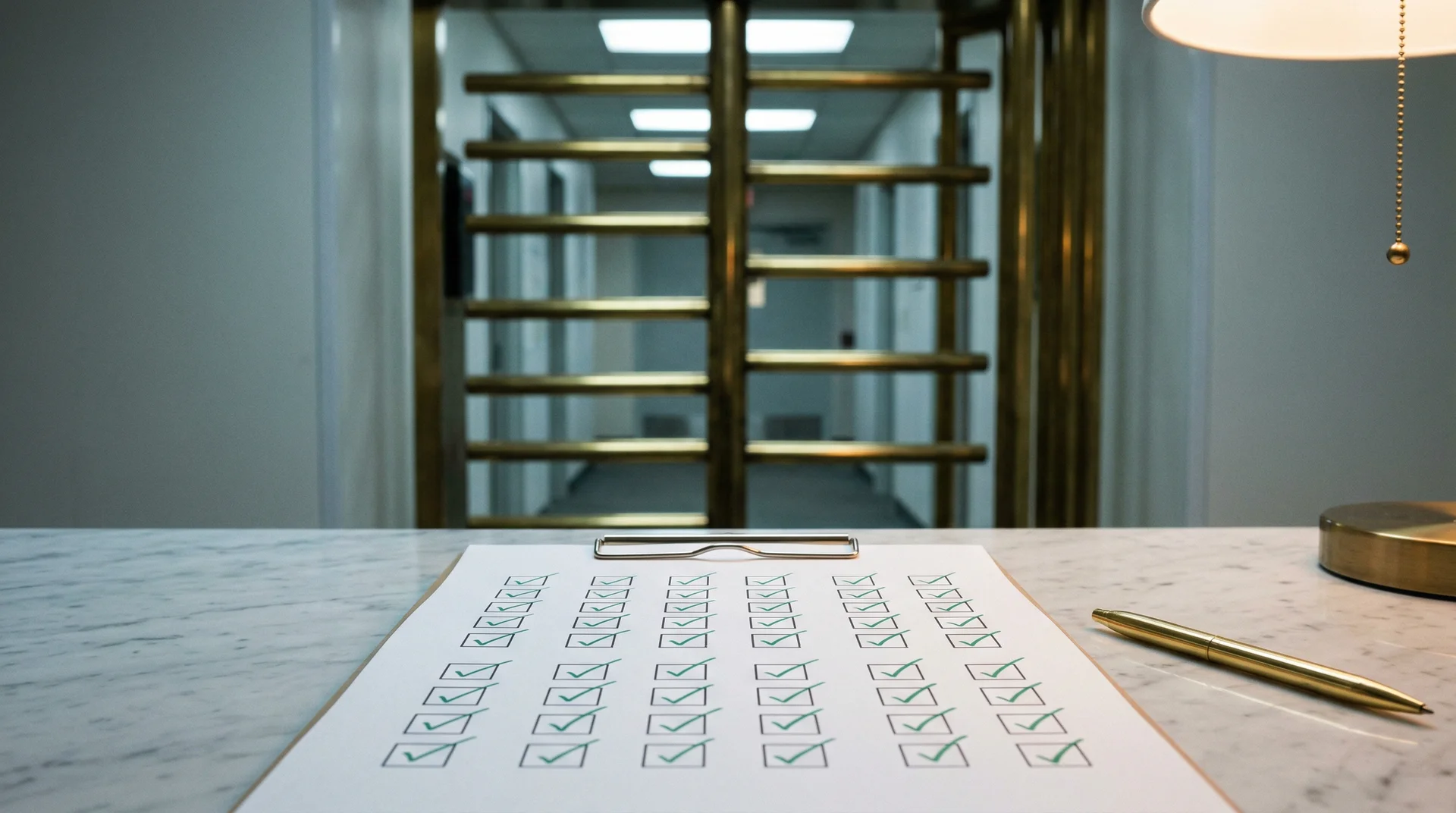
Crate & Barrel lost $300 million from a single UX mistake at checkout.
Not a server crash. Not a security breach. A registration wall. Their checkout required users to either sign in or create an account before purchasing. Many couldn't remember if they had accounts, got frustrated, and abandoned their carts. When the team finally added a "Continue as Guest" option, purchasing customers increased 45%, generating $15 million in the first month and $300 million annually.
Most teams think their pre-launch checklist would have caught this. It wouldn't have. The links worked. The forms validated. The buttons responded. Every box on a standard QA checklist was checked. The site was technically correct and functionally complete. It just quietly bled revenue every single day.
This is the gap that kills launches. If you are still deciding which layer should catch those failures, our guide to choosing the right UX testing tool breaks down where automated audits, replay tools, and human studies each fit. If the real decision is what to buy first given your actual constraint — release speed, traffic, or messaging risk — use the new buyer matrix inside that UX testing tool guide. And if your team is trying to decide where AI speeds research up versus where human judgment still owns the call, read UX Research in 2026: Why AI Is Making Human Judgment More Valuable, Not Less. For the most direct side-by-side operating model, use our guide to website usability testing: manual vs AI.
Use this page fast: start with the 2-minute launch gate, then skim the five-dimension audit framework, and finish with the launch-week audit workflow. If you just need to assign owners before a release, use the role split below.
| If you own... | Check first | Why it matters most before launch |
|---|---|---|
| Growth / PM | Primary CTA path + trust signals | Launches fail when the next step is unclear or feels risky |
| Design / UX | Mobile hierarchy + form friction | Most hesitation shows up as tiny interaction costs on small screens |
| Engineering | Speed, layout stability, broken states | A visually correct page can still feel broken when it shifts or stalls |
| QA / Ops | End-to-end task walk + edge-case recovery | The expensive bugs are usually detours, not outright crashes |
A good pre-launch UX checklist does two jobs: it tells each owner where to look first, and it forces the whole team to walk the same primary user journey before traffic arrives.
If You Only Have 2 Minutes Before Launch
Use this as your pre-launch UX checklist triage layer. If you cannot answer these five questions with a confident yes, you are not ready to ship.
A pre-launch UX checklist should behave like a launch gate, not a box-checking ritual. Anything that blocks the main task, weakens trust, or adds hesitation belongs in the red zone.
| Launch gate question | What to verify fast | Red flag |
|---|---|---|
| Can a new visitor tell what the site wants them to do? | Hero copy, CTA label, above-the-fold hierarchy | Multiple competing CTAs or vague buttons like “Learn more” |
| Can they complete the primary task without friction? | Trial, demo, checkout, or contact flow end to end | Forced account creation, extra fields, hidden pricing |
| Does mobile preserve the same decision path? | Thumb reach, readable copy, keyboard/input behavior | Tiny tap targets, clipped layouts, long mobile forms |
| Do speed and layout stability hold up on real devices? | LCP, INP, CLS, image sizing, third-party script weight | Layout shifts, slow hero load, chat widgets blocking render |
| Does the page earn trust before asking for commitment? | Testimonials, security cues, clear pricing/contact context | Thin proof, generic claims, missing reassurance at the moment of action |
If you want a system for running these checks continuously instead of only right before launch, pair this checklist with our guide to automated website testing. If your team hates repetitive regression work and keeps finding obvious bugs too late, read I Hate QA Testing (And So Do You) for the practical split between what to automate every release and what to keep manual. And if you want lightweight qualitative input after launch, add a website feedback tool on your highest-stakes pages so you can hear what users found confusing in their own words. For a checkout-specific breakdown of the leaks that most often slip past launch reviews, use our guide to silent conversion killers in UX, especially the priority order for hidden fees, forced accounts, and mobile checkout friction.
Why Your Checklist is Not Enough
A website launch checklist makes you feel safe because it is concrete. Performance has metrics. SEO has tags. Forms can be tested. But the most dangerous UX failures are qualitative. They live in the moments where a user decides whether to continue or leave. Those moments don't show up in a standard testing list.
Here is the strongest version of the counterargument: "We already have a comprehensive checklist. It covers performance, accessibility, SEO, cross-browser testing, and a full QA pass. We're covered." If you need a practical accessibility layer inside that launch process, use our accessibility testing guide for small teams as the companion checklist.
You're not. Here's why.
Standard checklists verify correctness. They don't verify clarity. A page can pass every technical check and still fail to convert. Links work, inputs validate, buttons respond. That's necessary, but it's not sufficient. UX is about decision flow. A site can be correct and still be unclear.
Standard checklists assume user context. The team knows the product. They know the roadmap, the pricing model, the onboarding flow. A real visitor has none of that. They see your site for the first time, with limited patience and zero internal knowledge. The difference between those two perspectives is where the most expensive bugs hide.
Standard checklists are item-based, not task-based. They ask "does this element work?" instead of "can a new user complete the primary task without help or hesitation?" That single reframing changes everything.
Marks & Spencer learned this the hard way. Their $150 million website redesign resulted in an 8.1% sales drop because users couldn't navigate login flows and category pages. Every component worked. The journey didn't.
Tropicana learned it too. Their 2009 packaging redesign removed familiar visual elements. Sales plunged 20% in two months -- over $30 million in losses. The company reverted to the old design. The change passed every internal review. It failed the only test that mattered: real user expectations.
The Task-Based UX Audit
The missing piece is not another technical test. It's a concrete, end-to-end audit that answers one question: can an unfamiliar user complete the primary task quickly and confidently?
Think of it as a reality check. If your primary task is starting a trial, can a first-time visitor find the right path, understand the plan, and complete sign-up without confusion? If the primary task is booking a demo, can they understand the product, see social proof, and submit the form without second-guessing?
This is not about polishing copy. It's about validating that your site functions as a decision engine, not just a collection of pages.
Here's how to run one:
- Define the primary task in one sentence. Example: "A new visitor should be able to start a trial in under two minutes."
- Remove internal context. Use someone who didn't build the site. Clear cache, history, and assumptions.
- Walk the journey on desktop and mobile. Start from the homepage. Follow the path a new user would take.
- Record every moment of hesitation. Each pause is a signal that the path isn't obvious.
- Fix the top three issues and re-test. Don't try to perfect everything.
This takes an hour. It catches the most expensive problems. It complements performance and QA rather than replacing them.
Now layer it onto a systematic framework.
The Five-Dimension Audit Framework
A proper pre-launch audit validates five critical dimensions: Navigation, Mobile, Performance, Conversion Flows, and Content. Each dimension below includes specific checks, the failure modes to watch for, and the business impact of getting it wrong.
The stakes are real: 90% of new websites fail, and the leading cause isn't bad marketing or weak products -- it's poor user experience. 88% of online consumers won't return to a site after a bad experience. You don't get a second chance at a first impression.
A pre-launch UX checklist is not a QA appendix. It is a revenue-defense system for first impressions, mobile context, and trust.
1. Navigation and Information Architecture
The Core Principle: Users should always know where they are, where they can go, and how to get back.
Critical Checks:
- Primary navigation visible and consistent across all pages
- Navigation labels match user mental models, not internal jargon
- Current location clearly indicated (breadcrumbs, active states)
- Logo links to homepage from every page
- No orphaned pages (every page reachable via navigation or internal links)
- Search returns relevant, useful results
- No competing or duplicate navigation categories
Failure Modes:
Unexpected Content Locations. Nielsen Norman Group's research found that users often fail to find information because site structure reflects company org charts rather than user mental models. One study participant searching for pricing had to begin the purchase process just to discover the cost.
Islands of Information. Related content scattered across disconnected sections forces users to piece information together manually. This creates frustration and suggests the site is incomplete.
Competing Categories. When navigation options overlap in meaning, users hesitate, guess wrong, or abandon. Category names must be mutually exclusive and collectively exhaustive.
Business Impact: Users who can't find what they need don't become customers. They leave, often without explaining why. Analytics show exits but miss the underlying cause.
2. Mobile and Responsive Design
The Core Principle: With 62.54% of web traffic now mobile, mobile experience isn't a variant -- it's the primary experience.
Critical Checks:
- Design adapts smoothly to all screen sizes (320px to 1920px+)
- Touch targets minimum 44x44 pixels
- Text readable without zooming (16px minimum)
- No horizontal scrolling
- Navigation works intuitively on touch devices
- Forms usable on mobile keyboards (correct input types, autocomplete)
- Mobile viewport meta tag configured correctly
- Tested on actual devices, not just browser emulation
Failure Modes:
The Desktop-First Trap. Teams design for desktop, then "adapt" for mobile. The result: cramped interfaces, broken layouts, frustrated users. Google's mobile-first indexing means mobile experience directly impacts search rankings for all users.
Touch Target Frustration. Buttons placed too close together cause mis-taps. Tiny links require zooming. Users on touch devices have no hover state for discovery -- they need clear, tappable targets.
Form Abandonment. Mobile forms with excessive fields, wrong input types (text instead of tel/email), or lacking autocomplete create friction. Each additional field reduces completion rates.
Business Impact: Mobile users are 67% more likely to convert when they find optimized experiences. Ignore mobile, and you're invisible to most of your potential audience.
3. Performance and Technical Experience
The Core Principle: Speed is a feature. Every millisecond of delay costs conversions.
Critical Checks:
- Pages load in under 3 seconds on mobile connections
- Largest Contentful Paint (LCP) under 2.5 seconds
- Interaction to Next Paint (INP) under 200ms
- Cumulative Layout Shift (CLS) under 0.1
- Images compressed and properly sized
- Critical CSS inlined, non-critical loaded asynchronously
- No render-blocking third-party scripts
- Custom 404 page helps users recover
Failure Modes:
The "It Works on My Machine" Assumption. Developers testing on high-speed office connections miss how real users experience the site. A site that feels fast on fiber feels broken on 3G.
Layout Shift Hell. Images without dimensions, late-loading fonts, and injected content cause elements to jump as pages load. Users click wrong buttons, lose their place, and form negative impressions.
Third-Party Bloat. Analytics, chat widgets, ad scripts, and social embeds accumulate. Each adds requests, blocks rendering, and degrades experience. Many sites load dozens of external scripts before their own content.
Business Impact: Walmart found that every 1-second improvement in load time increased conversions by 2%. Amazon estimated a 1-second delay could cost $1.6 billion annually. A 1-second delay in page response reduces conversions by 7%.
4. Conversion Flows and Forms
The Core Principle: Every step between interest and completion is a chance to lose the user. Remove friction ruthlessly.
Critical Checks:
- Primary CTAs visually prominent and action-oriented
- Form labels clear and associated with inputs
- Required fields minimized (remove nice-to-haves)
- Error messages helpful and inline
- Validation happens before submission
- Progress indicators for multi-step processes
- Guest checkout available (don't force registration)
- Confirmation messages after successful submission
Failure Modes:
Registration Walls. This is the Crate & Barrel lesson. Requiring account creation before users see value kills acquisition. Let users experience the product first. The guest checkout option alone was worth $300 million annually. For a narrower look at the same problem inside a CRO workflow, see The $50K Button. If your launch path depends on lead-gen or signup forms, pair this with our guide to form UX testing so you catch abandonment before traffic hits. And if your research team was cut before launch, use Your Company Just Cut Its UX Team. Now What? to decide what to automate versus what still needs human review.
Ambiguous CTAs. Buttons labeled "Submit" or "Continue" don't communicate what happens next. Use specific action language: "Complete Purchase," "Send Message," "Get My Quote."
Hidden Costs. Surprise fees at checkout destroy trust. Display total cost -- including shipping, taxes, and fees -- early in the process.
Business Impact: Shopping cart abandonment has reached 69.8%, with confusing interfaces cited as a primary cause. Every unnecessary field, every surprise cost, every ambiguous button is money walking out the door.
5. Content and Visual Communication
The Core Principle: Content should guide, reassure, and convert. Every word and image earns its place.
Critical Checks:
- No placeholder text ("Lorem Ipsum") remains
- All images have descriptive alt text
- Headlines communicate value, not just describe features
- Copy is scannable (short paragraphs, clear hierarchy)
- Visual hierarchy guides attention to key actions
- Branding consistent across all pages
- Trust signals visible (security badges, testimonials, contact info)
- Legal pages complete (Privacy Policy, Terms, Accessibility)
Failure Modes:
The Curse of Knowledge. Teams write copy that makes sense to them but confuses first-time users. Jargon, assumptions, and skipped explanations create cognitive overhead.
Visual Chaos. Without clear hierarchy, every element competes for attention. Users don't know where to look or what to do. The result: paralysis and exit.
Missing Trust Signals. No contact information, missing security indicators, or generic testimonials suggest a site might be a scam. 75% of users judge a company's credibility based on website design alone.
Business Impact: 94% of negative website feedback relates to design issues. Users judge credibility in milliseconds. Poor content and visual communication doesn't just fail to convert -- it actively repels users.
The Audit Workflow
The order matters: automation finds obvious breakage early, then human review gets closer to real launch conditions as release day approaches.
| Phase | What it is for | What it should catch |
|---|---|---|
| Day -7 · Automated scanning | Clear technical blockers fast | Performance regressions, accessibility violations, broken links, indexing issues |
| Day -5 · Task-based review | Test the main journey like a new visitor | Confusing CTA paths, detours, weak trust, poor mobile flow |
| Day -3 · Fresh-user testing | Validate with people who lack internal context | Misread labels, hesitation points, expectation mismatch |
| Day -1 · Final verification | Make sure the release is observable and reversible | Broken forms, bad analytics events, missing rollback readiness |
Phase 1: Automated Scanning (Day -7) Run comprehensive tools to catch technical issues: performance audits (PageSpeed Insights, WebPageTest), accessibility checks (WAVE, axe), SEO validation (Screaming Frog, Sitebulb), and broken link scanners.
Phase 2: Task-Based Review (Day -5) Run the task-based UX audit described above. Define the primary task, remove internal context, walk the journey on desktop and mobile, record hesitation points. Then test cross-browser compatibility, verify mobile on real devices, review content for errors and placeholder text, and validate conversion flows end-to-end.
Phase 3: User Testing (Day -3) Have 3-5 people unfamiliar with the site complete key tasks while thinking aloud. Watch where they hesitate, misclick, or get confused. Their fresh eyes catch what yours can't.
Phase 4: Final Verification (Day -1) Run a final automated scan. Test all forms with real submissions. Verify analytics tracking fires correctly. Confirm backup and rollback systems are in place.
Pre-Launch UX Checklist FAQ
What should a pre-launch UX checklist actually catch?
A good pre-launch UX checklist catches hesitation, confusion, and trust failures in the core journey — not just broken buttons. If a new visitor cannot understand the offer, move through the path, and complete the task without second-guessing, the site is not ready even if QA passed.
How is a pre-launch UX checklist different from QA?
QA checks whether the site works as specified. A pre-launch UX checklist checks whether the site works for a first-time human under real conditions. That means mobile context, unclear labels, hidden costs, weak proof, and task friction all count as launch blockers.
What is the fastest way to run a pre-launch UX audit?
Start with one primary task, test it on desktop and mobile, record every hesitation point, then fix the top three blockers before launch. If you need a faster repeatable scanning layer before the human walkthrough, use AI website analyzer: what it finds that your team misses as the first pass.
Launch Day Protocol
Even with thorough auditing, launch day requires vigilance. If you want a narrower playbook focused on repeatable scans between releases, see our guide to automated website testing. If you want a closer look at what AI-driven audits surface inside those scans, read AI website analyzer: what it finds that your team misses.
24 Hours Before:
- Run final comprehensive audit
- Test all critical user journeys
- Verify rollback plan is ready
- Prepare monitoring dashboards
Launch Day:
- Deploy during low-traffic hours
- Test key flows immediately after deployment
- Monitor error rates and performance metrics
- Be ready to rollback if critical issues emerge
First 48 Hours:
- Watch analytics for unusual patterns
- Monitor support channels for user reports
- Address critical issues immediately
- Document lessons learned
The Real Cost of Skipping This
Every dollar invested in pre-launch UX validation saves $10-100 in lost conversions, support costs, and reputation damage. The numbers are unambiguous:
- 56% of consumers have stopped doing business with brands because of poor digital experiences
- 75% of users judge credibility on website design alone
- Small businesses lose $137-$427 per minute during downtime and errors
Skip the audit, and you're not saving time. You're taking a loan against future disasters -- one that compounds with every user who arrives, struggles, and never comes back.
The choice isn't between shipping fast and shipping well. It's between catching problems when they're cheap to fix and catching them when they've already cost you users, revenue, and reputation.
If you want a clearer breakdown of where automation helps and where real user sessions still matter most, read our guide to website usability testing: manual vs AI. For a narrower tool comparison, see Best UX Testing Tools in 2026.
Ready to ship with confidence? Websonic automates pre-launch audits, catching the issues that sink launches -- before your users do.
Related Articles
Maze Alternative: When the Question Is Friction, Not Recruiting
Maze is useful for prototype testing. Automated live-site audits are different: they find where shipped pages catch users, with screenshots and fixes.
UserTesting Alternative: When You Need an Audit Before the Meeting
Human panels are useful. Automated audits are different. Use this when you need findings, screenshots, and fixes before a demo or client review.
Best Automated Website Testing Tools (2026): 7 Platforms Compared on Speed, Cost, and Coverage
A practical comparison of the 7 best automated website testing tools for 2026. See how Websonic, Playwright, Cypress, Selenium, and others stack up on coverage, maintenance, and real UX insight.
Ready to test your UX?
Websonic runs automated UX audits and finds usability issues before your users do.
Try Websonic free