Website Usability Testing with Session Recordings: How to Find Why Users Leave
Website usability testing gets more actionable when session recordings reveal rage clicks, dropoff patterns, and the friction pushing users away.
Websonic Team
Websonic
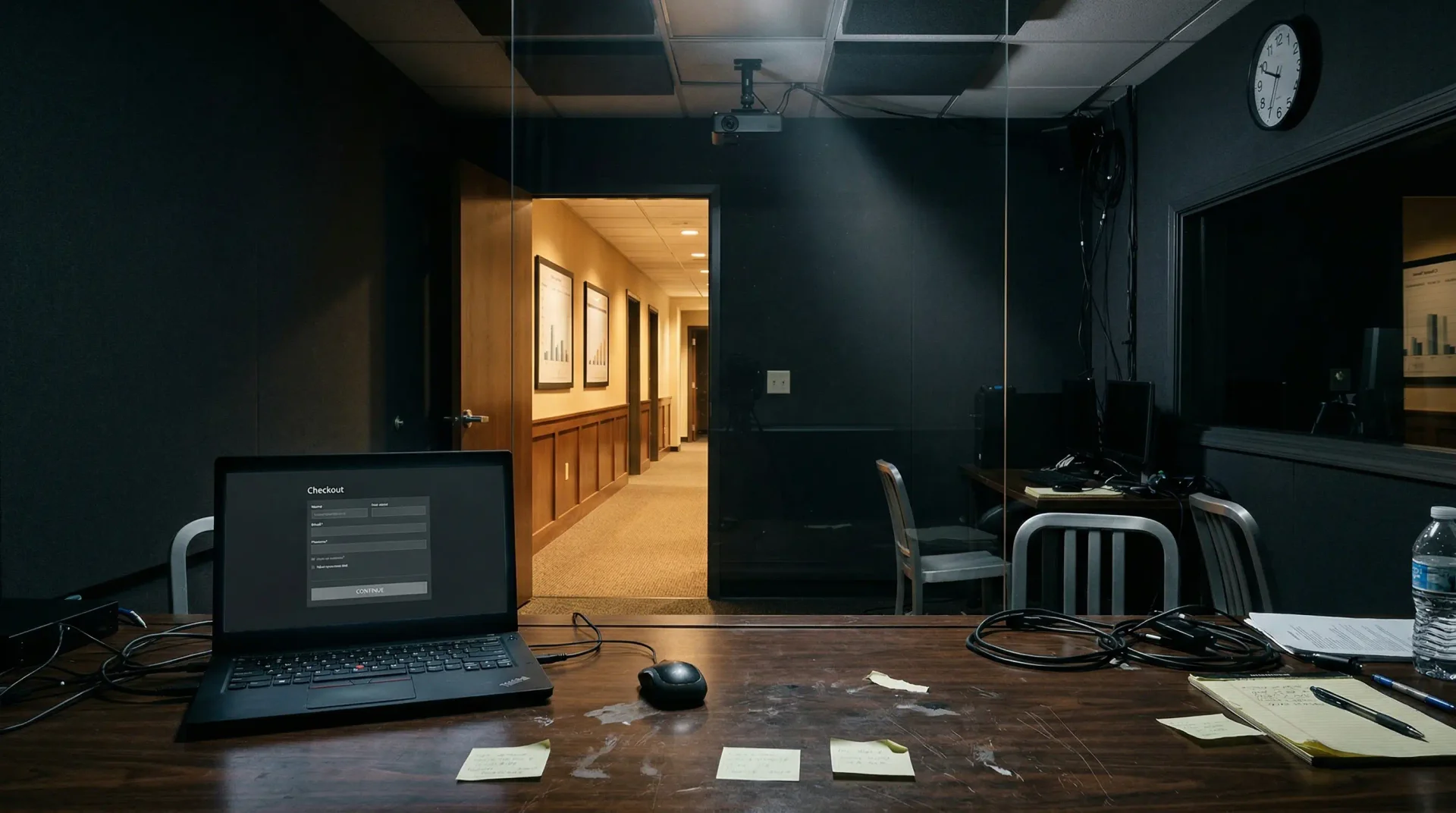
Website usability testing usually fails in one predictable way: teams can see the drop-off in analytics, but they cannot see the exact moment a user gets confused enough to leave.
That is where session recording analysis earns its keep. When 65% of users abandon your checkout, metrics tell you something is broken. Session recordings show the confused customer repeatedly clicking a grayed-out "Continue" button because they missed a required field error message in tiny red text. They reveal the mobile user rage-clicking a payment button for 30 seconds before giving up. They capture hesitation, frustration, and the moment a potential customer decides your product is not worth the trouble. If you need the full list of checkout friction patterns to watch for while reviewing those sessions, use this companion guide to silent conversion killers in UX. If you want the faster pattern library that pairs well with replay review, read our guide to website usability testing with heatmaps. If your company cut dedicated researchers and you need a lean operating model for who reviews those recordings and how often, use Your Company Just Cut Its UX Team. Now What?.
According to research from Hotjar analyzing millions of session recordings, watching just 5-10 sessions from a problematic page identifies 70-85% of major usability issues. In other words: if your team treats website usability testing as a dashboard exercise instead of a behavior-review exercise, you will miss the highest-value fixes.
Quick answer: Use session recordings as the diagnosis layer inside your website usability testing workflow. Start with the pages where users drop, filter to 10-15 failed sessions, look for rage clicks, form hesitation, validation loops, and back-button recovery, then fix the repeated friction first.
Use this page fast: need the broader testing stack first? Start with our guide to website usability testing. Need the category-level buyer shortcut before you compare vendors? Use our guide to choosing a UX testing tool. Comparing named vendors instead of methods? Use our roundup of the best UX testing tools in 2026. Need the fastest symptom scan before replay? Use website usability testing with heatmaps. Need the checkout-specific companion? Review silent conversion killers in UX.
| In your first 15 minutes | Check this in session replay | Fix priority if you find it |
|---|---|---|
| First 5 sessions | Rage clicks on the main CTA, disabled buttons, or broken inputs | Ship first — these usually block conversion immediately |
| Next 5 sessions | Form hesitation, repeated validation loops, or keyboard overlap on mobile | Fix next — high-intent users are trying to convert but getting pushed out |
| Last 5 sessions | Back-button recovery, frantic scrolling, or price-shock pauses at the total step | Queue after blockers — these usually point to trust, content, or expectation gaps |
This turns session recording analysis into a short triage loop: blockers first, high-intent friction second, expectation gaps third.
| If you see this in analytics | Review these sessions first | What website usability testing should confirm |
|---|---|---|
| High exit rate on one page | 10-15 sessions that end on that page | Whether users got blocked by layout, content gaps, or hidden errors |
| Cart or signup drop-off spike | Failed sessions from the final step | Whether price shock, validation loops, or broken CTAs caused abandonment |
| Mobile conversion lag | Newest mobile sessions on the same flow | Whether tap targets, keyboard overlap, or slow state changes broke the journey |
| Support tickets saying “it doesn’t work” | Sessions with rage clicks or JavaScript errors | Whether the issue is a real bug, an expectation mismatch, or both |
Use analytics to choose the failing moment, then use session recordings to see the exact behavior your website usability testing needs to fix.
Session recordings matter because they expose the specific friction patterns behind abandonment instead of leaving teams to infer intent from aggregate metrics alone.
This guide shows how to use session recordings inside a broader website usability testing workflow, what behavioral patterns predict abandonment, and how to translate those observations into prioritized fixes that measurably improve conversion.
What Session Recordings Actually Capture
Session recordings reconstruct user interactions by capturing DOM changes, mouse movements, clicks, scrolls, and form inputs. Unlike traditional analytics that aggregate behavior into averages, recordings preserve the narrative of individual experiences—the dead ends, the confusion, the unexpected paths users take through your interface.
Modern tools capture:
- Click events: Every button press, link click, and interaction attempt
- Mouse movements: Cursor trails that reveal attention patterns and hesitation
- Scroll behavior: How far users scroll, where they pause, when they scroll back up
- Form interactions: Field focus, input patterns, validation errors, and abandonment
- Navigation paths: Page transitions, back-button usage, and unexpected journeys
- Technical signals: JavaScript errors, loading states, and broken elements
The power lies not in any single data point but in the sequence—the story of a user's session from entry to exit.
The Five Behavioral Patterns That Predict Abandonment
Research from FullStory, Hotjar, and academic usability studies has identified consistent behavioral signals that precede user abandonment. Learning to recognize these patterns transforms session review from guesswork into systematic diagnosis.
Prioritize the patterns that either block conversion immediately or reveal that users expected the interface to behave differently.
1. Rage Clicks
Rage clicks—repeated rapid clicking on the same element—are the strongest visible signal of user frustration. According to FullStory research, rage clicking precedes abandonment in 60-80% of cases.
What they indicate:
- Non-clickable elements that look interactive (images users expect to zoom, static text styled like links)
- Disabled buttons without clear explanation
- Slow JavaScript making clicks seem unresponsive
- Broken functionality that fails silently
How to spot them: Most session replay tools flag rage clicks automatically. Look for clusters of 3+ rapid clicks on the same coordinates within a few seconds.
Fix priority: High. Rage clicks represent broken expectations—users thought something would work and it didn't. These are often quick fixes with immediate impact.
2. Excessive Scrolling
Users who scroll down, then back up, then down again searching for information they can't find. Research from Crazy Egg found that repeated vertical scrolling patterns correlate with 70-85% abandonment probability.
What they indicate:
- Unclear information architecture
- Missing critical content users expect to find
- Poor content hierarchy burying important details
- Misleading navigation labels that don't deliver expected content
How to spot them: Look for scroll patterns that change direction multiple times without clicking. Combine with heatmaps to see if users are clicking on non-interactive elements in areas where they scroll.
Fix priority: Medium to high. Often indicates content or navigation restructuring needs.
3. Form Field Hesitation
Long pauses before entering information, clicking between fields without typing, or partial entry followed by deletion. According to Baymard Institute research, problematic form fields showing high hesitation drive 25-40% of form abandonment.
What they indicate:
- Unclear field requirements or format expectations
- Users uncomfortable providing requested information
- Confusing labels or help text
- Fields asking for information users don't have readily available
How to spot them: Watch for cursor movements that hover over fields without clicking, or clicks that move between fields rapidly without data entry. Note timestamps showing long gaps between interactions.
Fix priority: High for checkout and signup flows. Form friction directly blocks conversion.
4. Error Recovery Attempts
Users entering information, receiving validation errors, trying variations unsuccessfully, then abandoning. Nielsen Norman Group research found that 30-50% of form abandonment results from validation frustration rather than unwillingness to provide information.
What they indicate:
- Overly strict validation rejecting valid input formats
- Unclear error messages (generic "invalid input" without specifics)
- Unexpected format requirements not communicated upfront
- Error messages that disappear or are easy to miss
How to spot them: Look for repeated entry attempts on the same field, often with slight variations. Users may copy-paste, delete, retype, or try different formats.
Fix priority: Critical. These users were ready to convert but your validation pushed them away.
5. Back Button Navigation
Frequent use of browser back button visible through URL changes in the recording. According to Baymard research, 15-25% of product browsing involves back-button usage indicating navigation confusion.
What they indicate:
- Misleading category names that don't contain expected products
- Product descriptions that don't match reality
- Missing expected information forcing users to return and search elsewhere
- Search results that don't match query intent
How to spot them: Watch for URL changes that move backward in the user journey, especially after viewing product or content pages.
Fix priority: Medium. Often indicates information architecture or content quality issues.
Systematic Session Analysis: A Practical Workflow
Randomly watching sessions is inefficient. A structured approach delivers 5-10x better insight per hour according to UserTesting research.
Step 1: Filter to High-Impact Segments
Don't watch random sessions. Filter to users who experienced problems:
- Cart or checkout abandoners
- Users who encountered JavaScript errors
- Sessions on pages with high exit rates
- Mobile users (often reveal device-specific issues)
- New visitors (experience your onboarding friction fresh)
Research from FullStory found that filtered session analysis delivers 80-90% of insights in 20% of viewing time.
Step 2: Watch 10-20 Sessions Per Segment
Jakob Nielsen's usability research established that 5 users identify 85% of usability issues. In session replay context, 10-15 sessions typically reveal 80-90% of major problems before patterns repeat.
More sessions yield diminishing returns. Once you've seen the same rage-click pattern 8 times, you've seen it enough to know it needs fixing.
Step 3: Categorize Problems Systematically
As you watch, categorize each issue:
- Technical errors: Broken elements, JavaScript failures, loading problems
- Usability issues: Confusing navigation, unclear CTAs, poor layout
- Content gaps: Missing information users search for
- Trust concerns: Security hesitation, policy confusion
- Pricing/cost issues: Sticker shock, unexpected fees
According to UserTesting research, systematic categorization improves problem identification efficiency 60-80% versus unstructured observation.
Step 4: Quantify Frequency
Track how many sessions show each problem:
- 12 of 15 sessions showing rage-clicking = 80% occurrence rate (critical priority)
- 2 of 15 sessions encountering a JavaScript error = 13% occurrence (edge case)
Research from FullStory found that frequency-weighted prioritization improves fix ROI 2-3x by focusing on widespread issues first.
Step 5: Cross-Reference with Quantitative Data
If session replays reveal shipping cost shock and analytics show 45% abandon after cart total reveal, qualitative and quantitative evidence converge. According to Mixpanel research, converged evidence from multiple data types increases fix success probability 40-80%.
Common Problem Types and Their Signatures
Different problems leave different fingerprints in session recordings. Learning these signatures speeds diagnosis.
Technical Errors (20-35% of Abandonment)
Visible in recordings:
- Elements that fail to load or appear broken
- Infinite loading spinners
- JavaScript error notifications (if shown to users)
- Features that respond incorrectly to input
Business impact: Users cannot complete intended actions. These cause immediate, definitive abandonment.
Fix approach: Developer intervention required. Session recordings help reproduce bugs that users can't describe accurately in support tickets.
Usability Problems (40-60% of Non-Price Abandonment)
Visible in recordings:
- Difficulty finding navigation elements
- Confusion about next steps (cursor wandering without purpose)
- Unexpected behavior from interface elements
- Complex workflows requiring excessive clicks
Business impact: Users can complete tasks but experience friction that reduces satisfaction and increases abandonment over time.
Fix approach: UX design changes. Often A/B testable.
Content Gaps (30-45% of Product Page Abandonment)
Visible in recordings:
- Repeated scrolling through product pages
- Clicking between tabs searching for specifications
- Visiting multiple similar products to compare details
- Searching for information not present on the page
Business impact: Users can't make informed purchase decisions due to missing information.
Fix approach: Content additions. Often quick wins.
Trust Concerns (15-25% of New Customer Checkout Abandonment)
Visible in recordings:
- Hovering over security badges
- Visiting "About Us" or "Contact" pages before purchasing
- Reading return policies multiple times
- Abandoning at payment entry despite completing all other fields
Business impact: Users want to buy but need reassurance about legitimacy and security.
Fix approach: Trust signals, social proof, clearer policies.
Price Shock (49% of Cart Abandonment)
Visible in recordings:
- Long pause after viewing cart total
- Scrolling to verify amounts and check for errors
- Immediate exit after shipping costs appear
- Attempting to remove items to reduce total
Business impact: Users interested in products but surprised by final cost.
Fix approach: Earlier cost transparency, shipping calculators, pricing psychology adjustments.
From Observation to Action
Identifying problems is only half the battle. The other half is fixing them effectively.
Create Hypothesis-Fix-Test Cycles
Observation: Customers rage-click the "Continue" button because required field errors appear in small red text easily missed.
Hypothesis: Making errors more visible reduces abandonment.
Fix: Increase error message size, add error icon, auto-scroll to first error.
Test: A/B test measuring checkout completion improvement.
According to Optimizely research, observation-informed hypotheses succeed 60-70% versus 30-40% for intuition-based changes.
Prioritize by Impact and Effort
Rank fixes using three criteria:
- Frequency: How many sessions show the problem?
- Severity: Does it completely block conversion or just create minor friction?
- Implementation ease: CSS change or major development project?
High-frequency, high-severity, easy-implementation fixes provide best ROI. Research from CXL Institute found that ROI-prioritized fixing delivers 3-5x better results than random-order implementation.
Document Evidence
For each fix recommendation, include:
- Session replay links showing the problem
- Frequency data ("8 of 12 sessions showed this pattern")
- Hypothesized cause
- Proposed solution
- Expected impact
Evidence-based recommendations receive 2-3x faster approval than assertion-only requests according to product management research.
Measuring Session Replay Impact
Track whether your session-replay-informed changes actually help:
Problem frequency reduction: If 80% of sessions showed rage-clicking before your fix and 15% after, the problem is resolved.
Conversion rate changes: If checkout optimization improves completion from 30% to 38%, that's a 27% relative improvement.
Revenue impact calculation: Conversion improvement × traffic × average order value = incremental revenue. An 8 percentage point checkout improvement affecting 1,000 monthly visitors at $120 AOV equals $9,600 monthly incremental revenue ($115,200 annually).
Time-to-identify improvements: Session replay typically identifies problems 50-80% faster than metrics-only approaches according to FullStory research.
Common Analysis Mistakes to Avoid
Watching random sessions: Filter to problematic segments. Random viewing delivers 5-10x lower insight-per-hour.
Focusing only on abandoners: Watch successful conversions too. Understanding what works is as valuable as understanding what doesn't. Success-failure comparison identifies 30-50% more optimization opportunities.
Overemphasizing edge cases: A problem affecting 5% of users shouldn't take priority over problems affecting 80%.
Not validating fixes: Even observation-informed hypotheses fail 30-40% of the time without testing validation. Always measure the impact of changes.
Analyzing in isolation: Combine session insights with funnel analytics, heatmaps, and user feedback for complete understanding.
Tools and Implementation
Most modern analytics platforms include session replay:
- FullStory: Advanced filtering, rage click detection, funnel-connected replays
- Hotjar: Heatmaps combined with session recordings, affordable for small teams
- Smartlook: Always-on recording, autocapture without manual tagging
- LogRocket: Engineering-focused with error tracking integration
- Microsoft Clarity: Free with basic functionality
Privacy considerations: Session recordings capture detailed user interactions. Configure automatic masking of sensitive data (passwords, credit card numbers, personal information). GDPR and privacy regulations require proper consent handling. Most tools handle this automatically, but verify your configuration.
Set up alerts: Configure notifications for rage clicks, JavaScript errors, and checkout abandonment. According to Hotjar research, automated alerts identify emerging problems 30-60 days earlier than scheduled analytics reviews.
FAQ: Session Recording Analysis Inside Website Usability Testing
How many session recordings should you watch before making a fix?
For most pages, 10-15 failed sessions is enough to identify the repeated friction patterns worth fixing first. If the same rage click, hesitation loop, or validation error appears again and again, your website usability testing already has a clear priority.
Can session recordings replace automated website testing?
No. Session recordings show what real users did after reaching the page. Automated website testing helps you catch obvious UX regressions, broken states, and path failures before users hit them. The strongest workflow uses automation for coverage and session replay for diagnosis. If you want a concrete revenue-focused example of that sequence, read The $50K Button, which shows why teams should diagnose the broken path before they spend weeks on another experiment.
What should teams look for first in session replay?
Start with moments that block progress: rage clicks on key CTAs, repeated form retries, back-button recovery after confusing pages, and sudden exits after totals or policy details appear. Those patterns usually produce the fastest conversion gains.
Are session recordings enough for website feedback on their own?
Not usually. Session replay shows behavior, but not always motivation. Pair it with a website feedback tool or support-ticket review when you need to understand what users were trying to accomplish in their own words.
Conclusion
Session recording analysis transforms abstract metrics into concrete understanding. When you see the confused customer clicking the unresponsive button, reading the unclear error message repeatedly, or searching unsuccessfully for shipping cost information, problems become obvious that were invisible in aggregate data.
This clarity enables targeted fixes addressing root causes rather than symptoms—dramatically improving fix success rates and conversion impact. It also makes your overall website usability testing program sharper, because you stop debating what users might have felt and start working from visible evidence.
Start with your highest-friction user journey. Filter to 10-15 sessions of users who abandoned at that point. Watch for the five behavioral patterns: rage clicks, excessive scrolling, form hesitation, error recovery attempts, and back-button navigation. Categorize what you find. Fix the high-frequency, high-impact issues first. Measure the results. If you also want broader pre-launch coverage, pair this diagnostic workflow with an automated website testing guide so obvious UX regressions get caught before you ever open session replay.
Your users are already telling you why they leave. Session recordings let you hear them.
Want to identify UX issues without watching hundreds of session recordings? Try UX Tester — it analyzes your site automatically and delivers severity-scored reports with screenshot evidence and specific fixes.
Related Articles
UX Testing Tool: How to Choose the Right One in 2026
A UX testing tool should help you catch usability issues before launch. Here is how to compare manual, behavior, and AI-first options in 2026.
Website Feedback Tool: What to Look For Before You Buy
A website feedback tool should capture why users hesitate, not just where they click. Here’s how to choose one that improves UX and conversion.
Website Usability Testing: Manual vs AI
Website usability testing works best when manual research and AI testing cover different kinds of friction before users bounce.
Ready to test your UX?
Websonic runs automated UX audits and finds usability issues before your users do.
Try Websonic free